
Private Container Registry:
Store Your Images, Start FREE
Private Docker and OCI registries at cr.phluit.net, right next to your Phluit servers. Push from your laptop or CI, pull anywhere with a token.
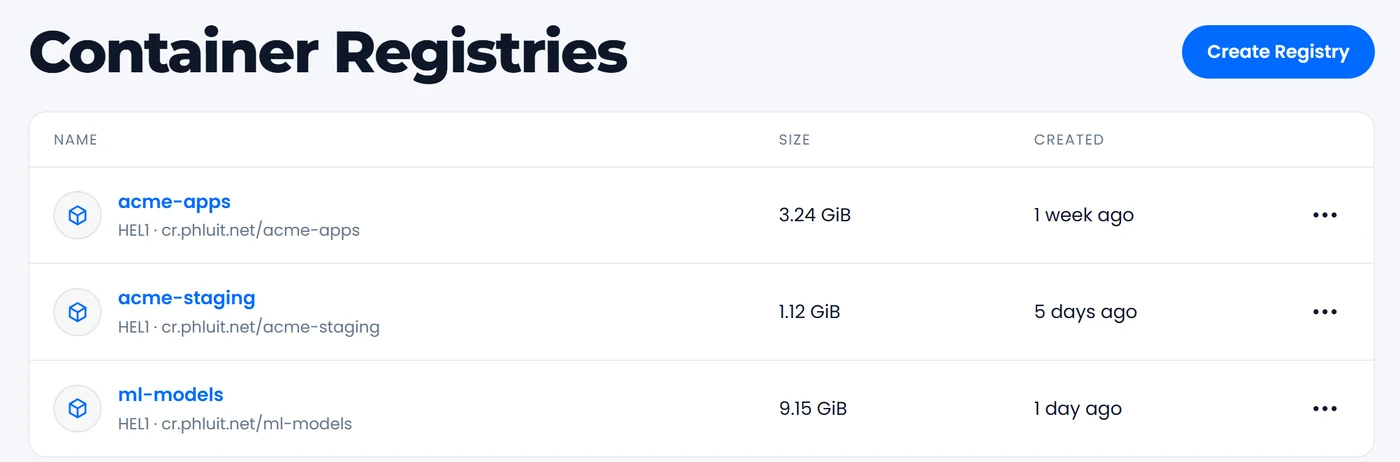
Simple plans. Hard limits. No surprises.
Start free and move up when your images grow. Every plan has unlimited repositories.
Free
- 500 MiB of storage
- 1 registry
- 2 access tokens
- Unlimited repositories
- Docker images and OCI artifacts
Basic
- 5 GiB of storage
- 1 registry
- 10 access tokens
- Unlimited repositories
- Vulnerability scan on every push
Professional
- 100 GiB shared storage
- Up to 10 registries
- 50 tokens per registry
- Unlimited repositories
- Vulnerability scan on every push
Professional storage is shared by all its registries. Storage is a hard limit: pushes over the limit are refused, and you are never billed for overage.
Container Registry Features
Everything you need to keep your images private, close to your servers and easy to manage.
Private by default
Nothing is public. Every pull and push needs a token, and each registry is kept apart from every other customer's.
Scoped tokens
Read-only tokens for servers and clusters, read/write tokens for CI. Each token belongs to one registry and can be revoked at any time.
Vulnerability scans
On Basic and Professional every pushed image is scanned with Trivy, and the findings appear next to the tag.
Docker & OCI
Docker images, multi-arch images and other OCI artifacts such as Helm charts. Unlimited repositories on every plan.
Nightly clean-up
Delete tags or repositories from the portal. Layers nothing points to any more are cleaned up every night and the space comes back.
Live usage
See the space each registry uses, its repositories, tags and scan results in your portal, measured every hour.
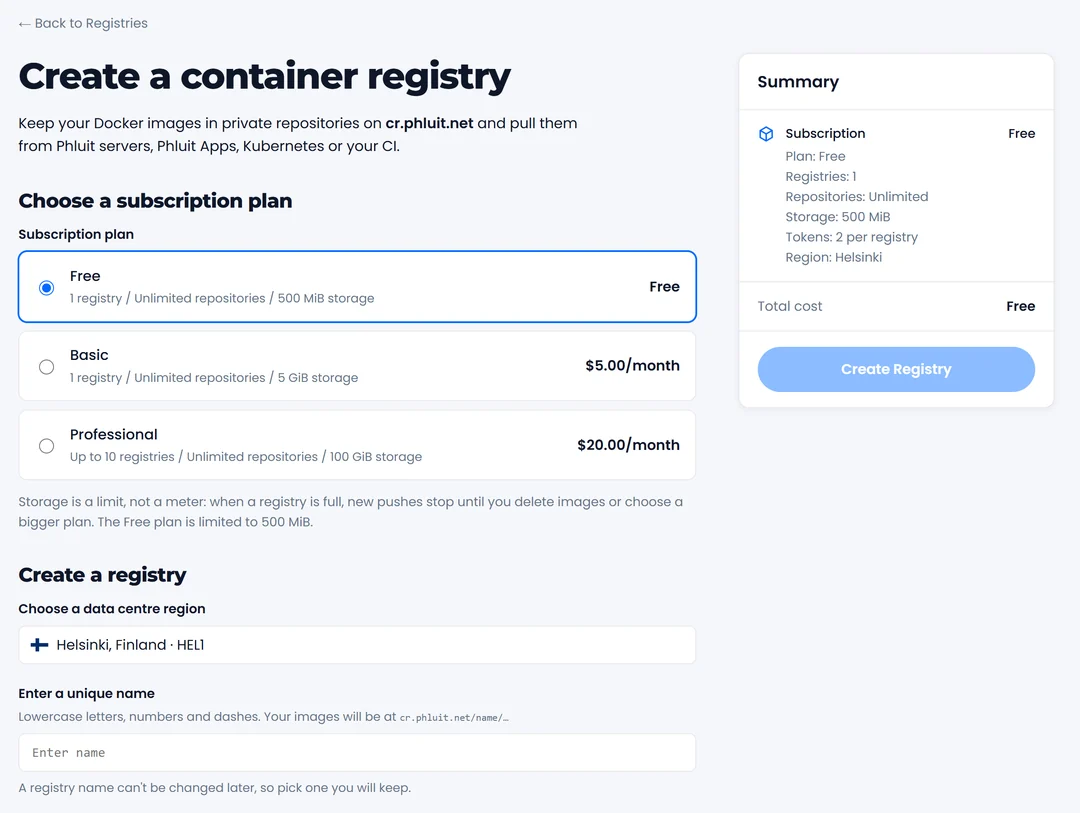
Create a Registry in a Minute
Pick a plan, choose a name and you are ready to push. Your registry lives in our Helsinki data centre, next to the servers that pull from it, so deploys stay fast.
Works With the Tools You Already Use
It is a standard registry, so docker, Podman, Kubernetes, Helm, GitHub Actions and GitLab CI just work. Your registry page shows the exact login, tag and push commands, ready to copy.
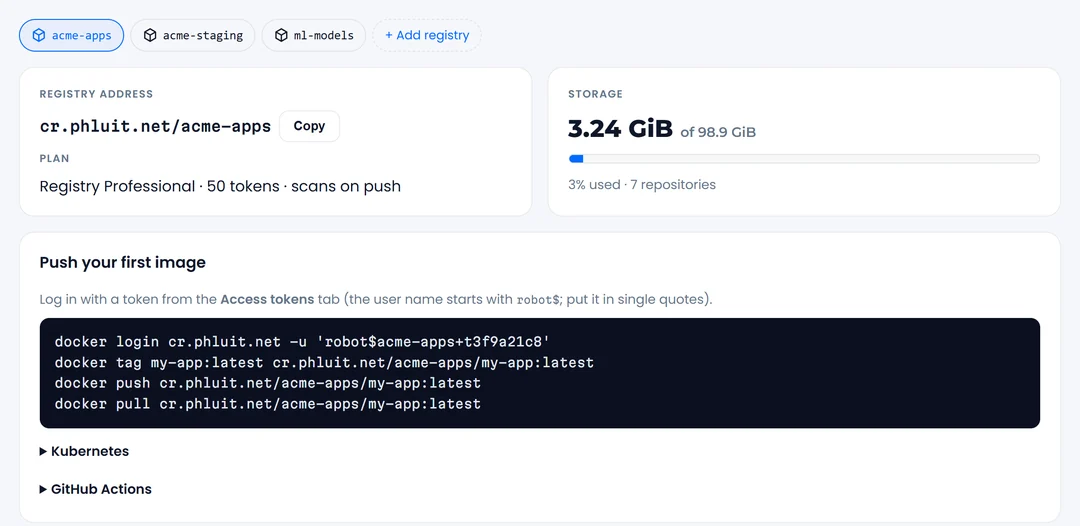
# log in with a read/write token
$ docker login cr.phluit.net

# tag and push your image
$ docker tag app cr.phluit.net/acme-apps/app:1.4
$ docker push cr.phluit.net/acme-apps/app:1.4

# pull it on your server (read-only token)
$ docker pull cr.phluit.net/acme-apps/app:1.4
Push From CI, Pull Anywhere
Give your pipeline a read/write token and your servers a read-only one. If a token leaks, revoke it in the portal and the others keep working.
- Read-only and read/write tokens
- One registry per token, revoke any time
- HTTPS only, no public images
Built on Harbor and Trivy
Our registry runs on Harbor, the open-source registry trusted by thousands of teams, with Trivy for vulnerability scanning. It is standard OCI, so your images are never locked in: pull them and move them wherever you like.
# Kubernetes: pull with a read-only token
$ kubectl create secret docker-registry phluit \
    --docker-server=cr.phluit.net \
    --docker-username="$TOKEN_NAME" \
    --docker-password="$TOKEN_SECRET"

# Helm charts are OCI artifacts too
$ helm push chart-1.0.0.tgz oci://cr.phluit.net/acme-apps
Flexible & Transparent Pricing
Free to Start
500 MiB and two tokens on the Free plan, with no card needed.
Unlimited Repositories
Organise your images however you like on every plan.
No Overage Bills
Storage is a hard limit, so the price you see is the price you pay.
No Lock-in
Standard OCI images, no contract. Change plans or cancel any time.
Next to Your Servers
Hosted in Helsinki, close to your Phluit servers, for quick pulls.
24/7/365 Support
Real people on live chat and tickets whenever you need help.
Container Registry FAQs
Common questions about Phluit's private container registries.
What is a container registry?
A private place to store the Docker images (and other OCI artifacts, such as Helm charts) you build. Your servers, CI pipelines and Kubernetes clusters pull them from there with a token, instead of from a public registry.
Where is my registry, and what is its address?
Every registry lives at cr.phluit.net in our Helsinki (Finland) data centre, next to our servers. An image is addressed as cr.phluit.net/your-registry/app:tag.
What happens when my storage is full?
Storage is a hard limit, so you never get a surprise bill. Pushes that would go over the limit are refused until you delete tags or move to a bigger plan. You can see the space you use in your portal at any time.
How do tokens work?
You create tokens in the portal. Each token belongs to one registry and is either read-only (pull) or read/write (push and pull). Use read-only tokens on servers and clusters, and read/write tokens in your CI. A token can be revoked at any time.
Are my images scanned for vulnerabilities?
On the Basic and Professional plans every image is scanned when it is pushed, and you see the findings next to the tag in the portal. The Free plan does not include scanning.
How do I delete old images?
Delete tags or whole repositories from the portal. Layers that no tag points to any more are cleaned up every night, and the space is given back to your plan.
Can I change plans or cancel?
Yes. Move between Free, Basic and Professional from your portal at any time. If you cancel, the registry is kept for 7 days with its tokens switched off, so you can change your mind, and is then deleted.
